Quality control with statistical limits
Attach control and warning limits to a measurement, get an alert the moment a value breaks them, and spot a slow drift before a part goes out of spec.
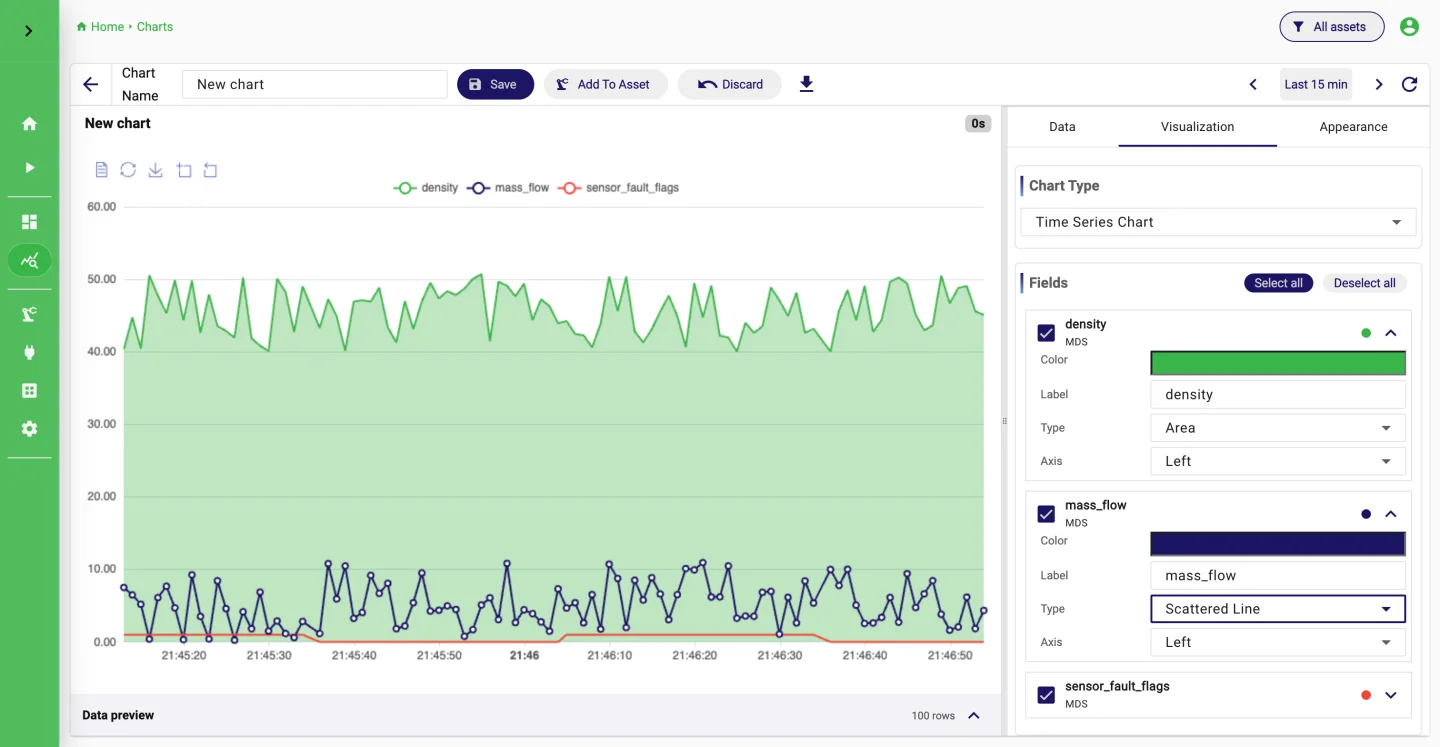
The situation
A diameter, a torque, a fill weight: the measurement exists, the limits exist, and still the first sign of trouble is a rejected batch. Control charts on paper or in a spreadsheet are checked once a shift, if at all.
StreamPipes puts the limits next to the live value. Every measurement carries its control and warning limits, a breach becomes an event that can notify someone, and a change detector flags the drift that a fixed limit would miss.
How it works in StreamPipes
- 1
Connect the measurement
Read the value from the controller or gauge with an OPC UA, S7 or Modbus adapter, or from a file. Set the unit in the adapter so charts show it correctly.
- 2
Attach the limits
The Quality Control Limits Enrichment processor adds upper and lower control limits and warning limits to each event. The limits are configured once and travel with the data.
- 3
Alert on a breach
The Sensor Limit Alert processor emits an event only when a value crosses a limit, including which limit and whether it was a warning or a control breach. Route those events to Teams, Slack or email.
- 4
Watch for drift
Welford Change Detection tracks mean and standard deviation of the stream and raises a flag when the process shifts, even while every single value is still within its limits.
What it looks like
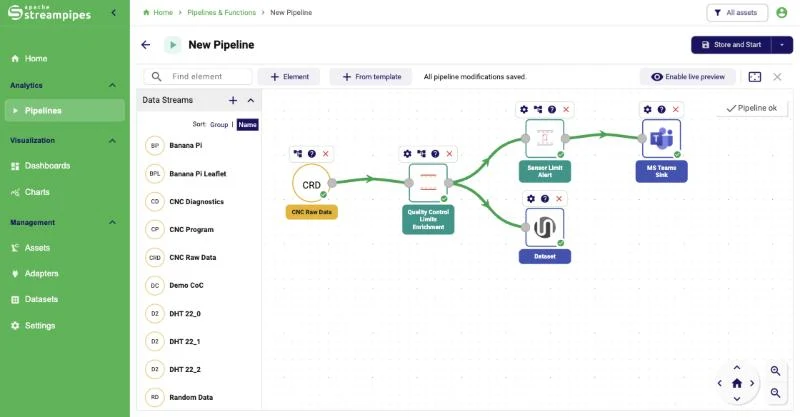
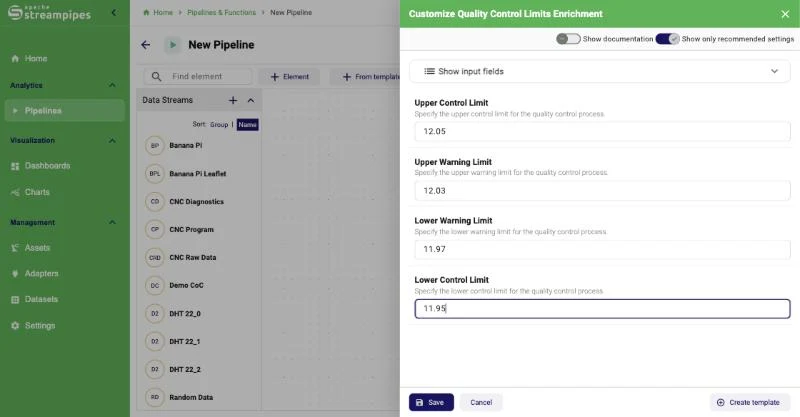
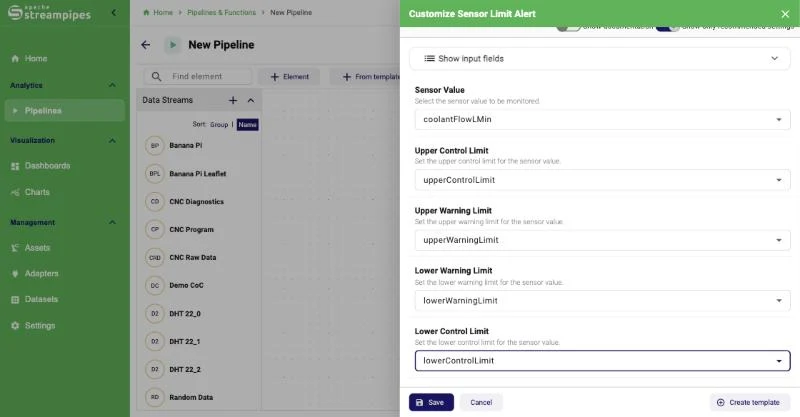
Extensions used
All of these come with the standard installation.
- OPC UA
- Quality Control Limits Enrichment
- Sensor Limit Alert
- Welford Change Detection
- Moving Average
- MS Teams Sink
- Dataset
Go deeper
Try it on your machine.
One command starts StreamPipes with Docker. The quickstart takes you from there to a first dashboard.
mkdir -p streampipes-0.98.0 && cd streampipes-0.98.0 \
  && curl -fsSLO https://raw.githubusercontent.com/apache/streampipes/0.98.0/installer/compose/docker-compose.yml \
  && curl -fsSLO https://raw.githubusercontent.com/apache/streampipes/0.98.0/installer/compose/.env \
  && docker compose up -d