The things IT will ask about.
Single sign-on, roles and permissions, an audit log, retention rules and encrypted connections are part of the platform. There is no separate enterprise edition; everything on this page is in the Apache-licensed release.
Sign in with the identity provider you already have.
StreamPipes supports OpenID Connect and OAuth2. Providers such as Keycloak, Microsoft Entra ID or GitHub are configured through environment variables. You can set up several side by side, take email, name and roles from token claims, and give new users default roles. Password login stays available.
Configure external identity providers- OpenID Connect and OAuth2 providers
- Several providers in parallel
- Role mapping from token claims
- Login method recorded in the audit log
Decide who sees and changes what.
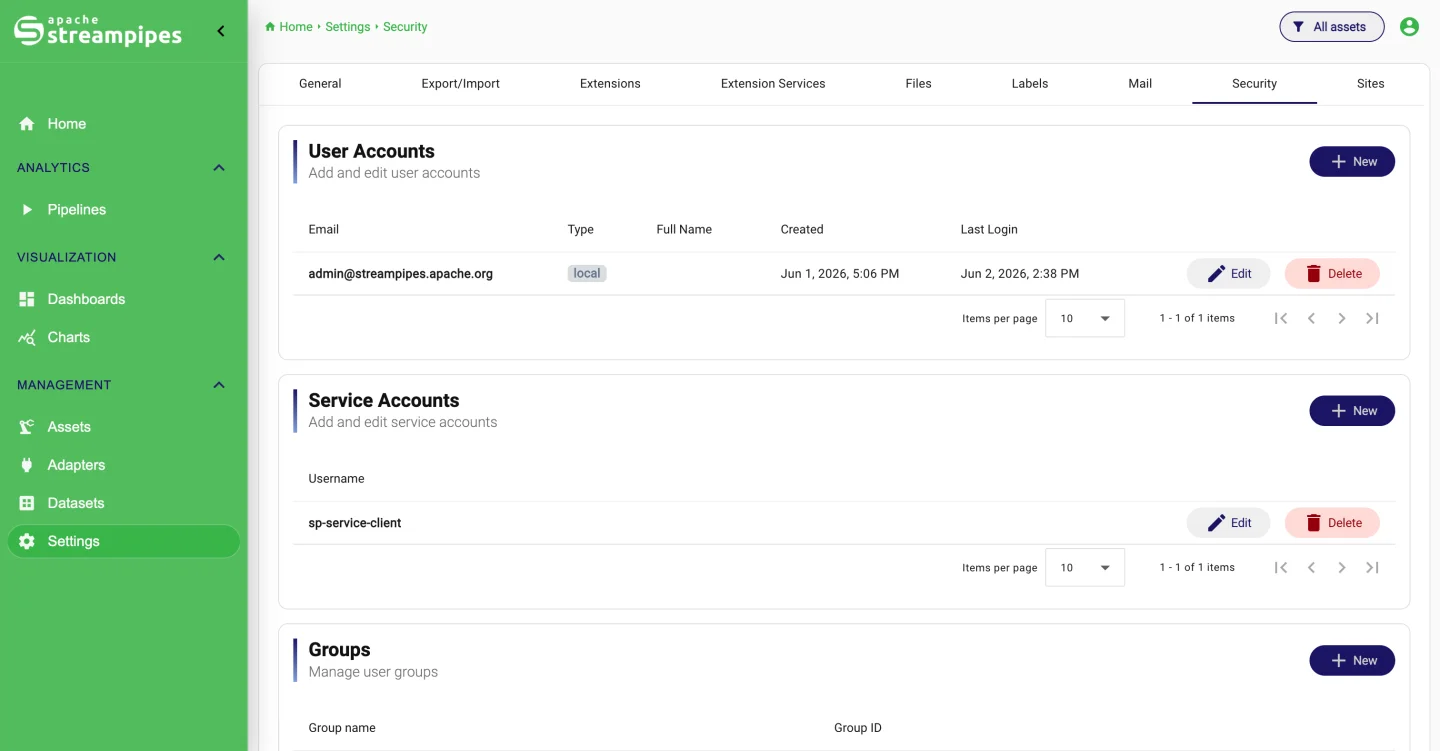
Built-in roles cover administrators and the pipeline, dashboard, data explorer, connect and asset areas. Custom roles are put together from individual privileges, and groups make assignments reusable. Every resource has an owner and can be shared with users or groups, made public, or exposed through a link. Service accounts and API keys cover scripts and integrations.
Security and user management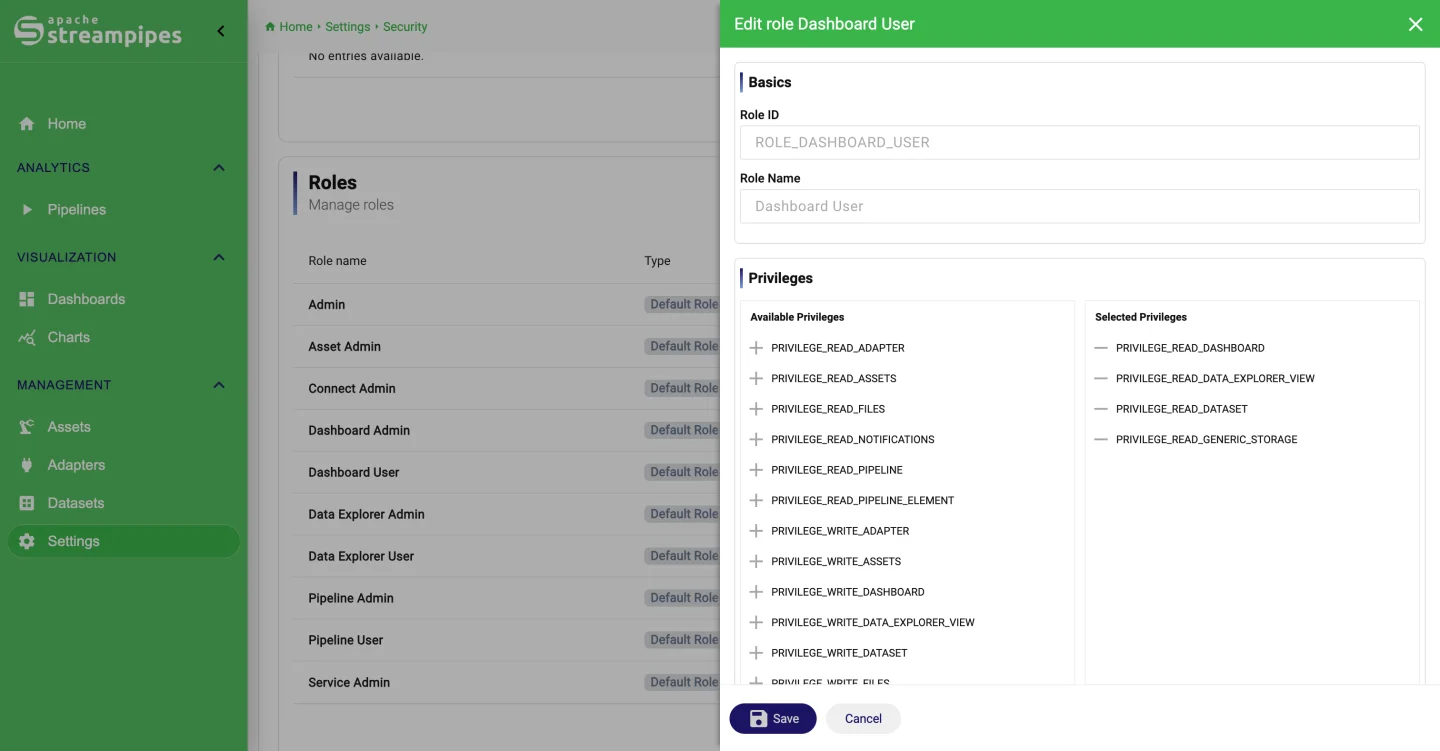
- Built-in and custom roles from fine-grained privileges
- User groups for reusable assignments
- Per-resource permissions with owners and public links
- Service accounts and API keys for automation
A record of who changed what.
The audit log records logins and logouts, changes to adapters, datasets, charts and dashboards, exports and imports, file uploads, mail settings and security groups. You read it in the Configuration area with filters, download it as CSV, JSON or Excel, and give it a retention rule so it does not grow forever.
General settings and configuration- Logins, resource changes, exports, security changes
- Filterable view in the Configuration area
- Download as CSV, JSON or Excel
- Retention with delete, archive or both
Keep what you need, archive the rest.
Each dataset gets its own retention policy: delete entries older than a threshold, archive them to an export provider, or both, on a daily, weekly or monthly schedule or whenever you trigger it. Export providers write to a local folder or to S3-compatible storage. Any dataset can be exported as CSV, JSON or Excel.
Datasets and retention- Per-dataset policies: delete, archive or both
- Daily, weekly, monthly or on demand
- Archive to local folders or S3
- Export as CSV, JSON or Excel
Encrypted on the wire and at rest.
The UI serves HTTPS and the Kubernetes ingress supports TLS. Secrets stored in the platform are encrypted. Certificates for OPC UA, MQTT and Kafka are handled in the Extension Services view, where you trust or reject a server certificate and get an email before one expires. The OPC UA adapter can be limited to secure endpoints.
Extension services and certificates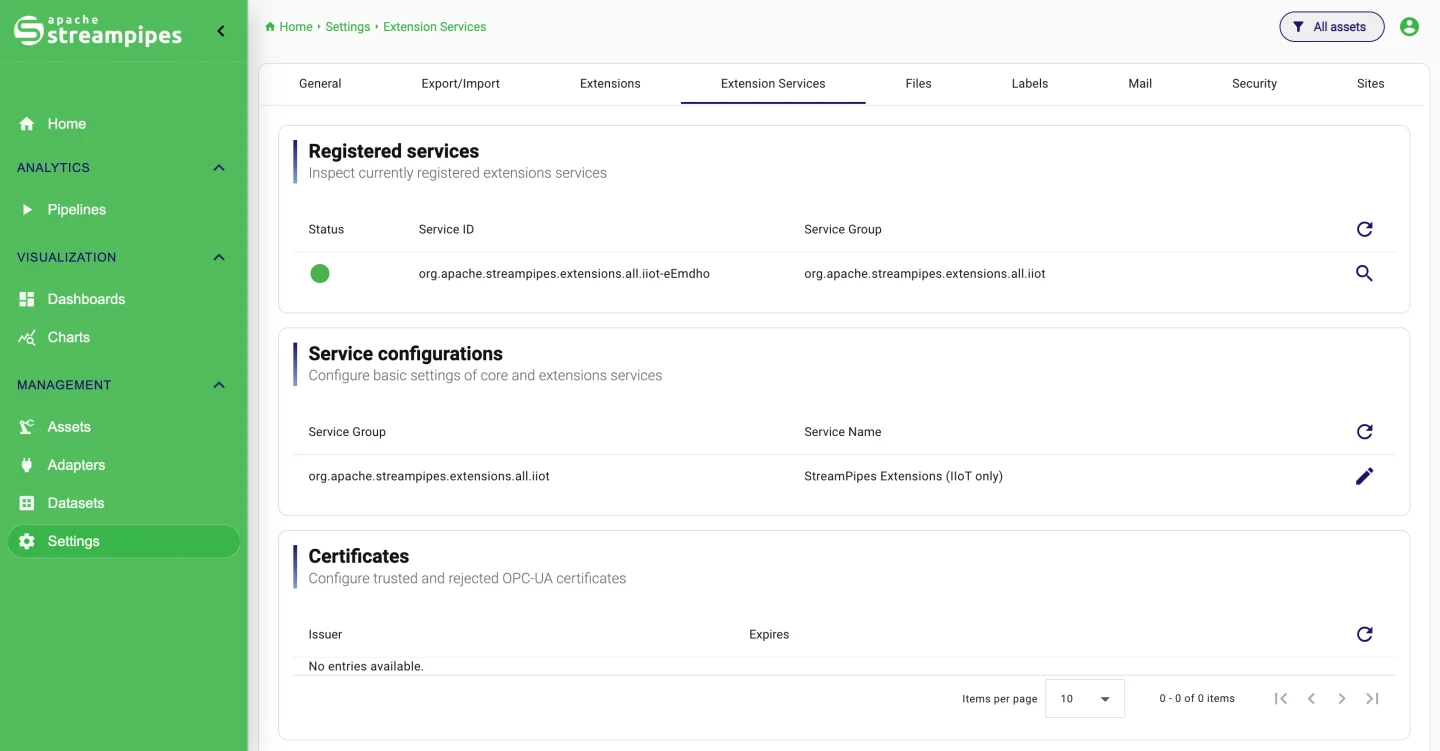
- HTTPS for the UI, TLS in the Kubernetes ingress
- Encrypted secrets at rest
- Certificate management with trust decisions and expiry alerts
- Keystores and truststores for OPC UA, MQTT and Kafka
Operate it like your other services.
Adapters and pipelines show metrics and logs in the UI, and a Prometheus endpoint feeds your monitoring. The Helm chart comes with Prometheus and Grafana templates. Adapters, assets, dashboards, charts and files can be exported and imported between instances, and migrations run on their own when you install a new version.
Deploy and operate- Metrics and logs per adapter and pipeline
- Prometheus endpoint, Helm chart with Prometheus and Grafana
- Export and import of resources between instances
- Automatic migrations on upgrade
Smaller things
you will still want.
| Capability | What it does |
|---|---|
| Terms acknowledgment | Require users to accept terms of use after login, with your own title and text. |
| Self-registration and password recovery | Toggle both in General Settings and define the default roles for new accounts. |
| JWT signing | HMAC or RSA signing for tokens; generate and download a key pair from the UI. |
| Email templates | Editable templates for password recovery and notifications. |
| App name and links | Set the platform name and the documentation and support links shown on the login page. |
| Certificate expiry alerts | Scheduled checks send an email before a trusted certificate expires. |
If community support is not enough.
The community answers on GitHub Discussions and the mailing lists. Several companies around the project offer support contracts, training and development.