Machine state tracking
Turn the running, blocked and fault signals of a machine into states, measure how long each state lasts, and see where the time went per line and shift.
The situation
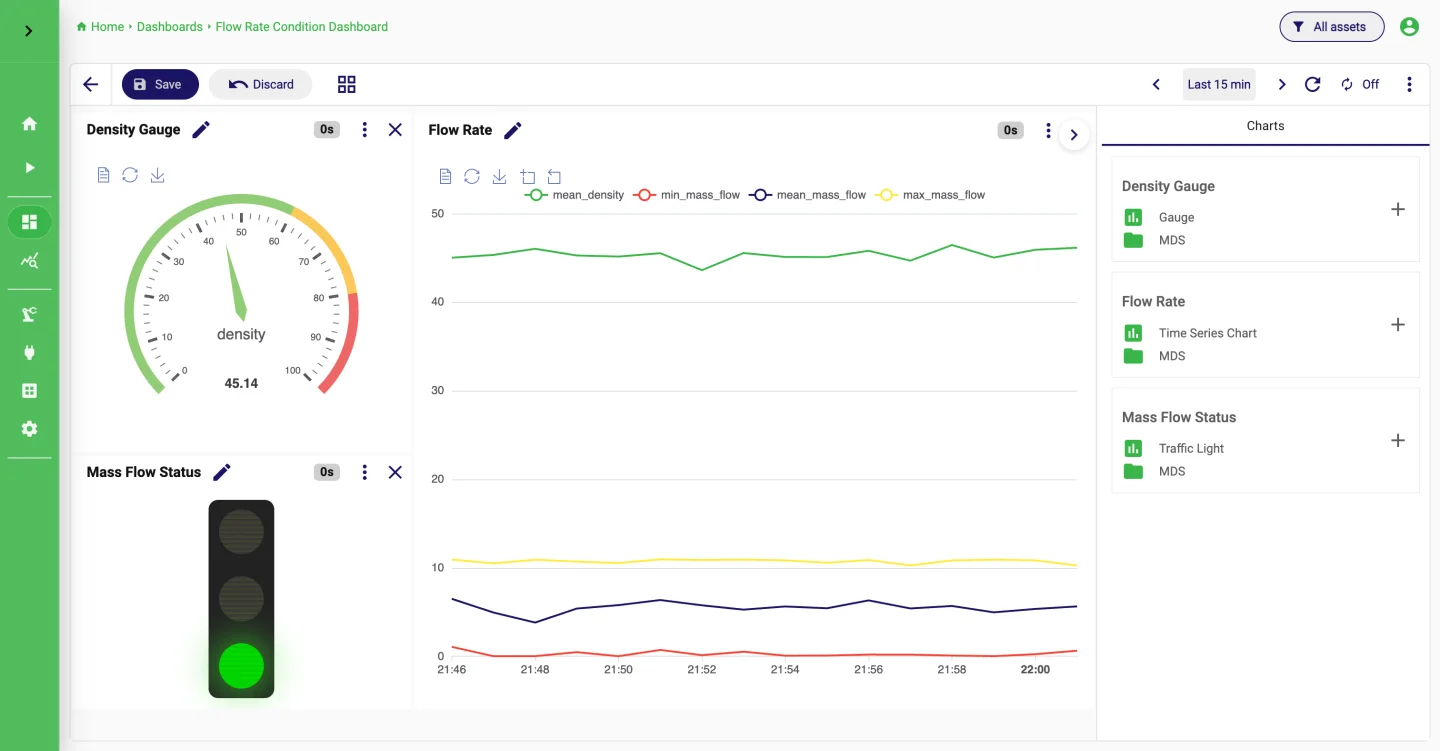
Most controllers already expose a handful of bits that say whether the machine is running, blocked, starved or in fault. What is missing is the bookkeeping: how long was the machine in each state, how often did it stop, and which stops cost the most time.
Clipboards and spreadsheets fill the gap in many plants. A pipeline in StreamPipes does the same job continuously, with the results stored as datasets that charts and dashboards can use right away.
How it works in StreamPipes
- 1
Read the signals
Create a Siemens S7, Modbus or OPC UA adapter and pick the running, blocked and fault addresses. The event preview shows the raw bits so you can check them against the machine.
- 2
Turn bits into states
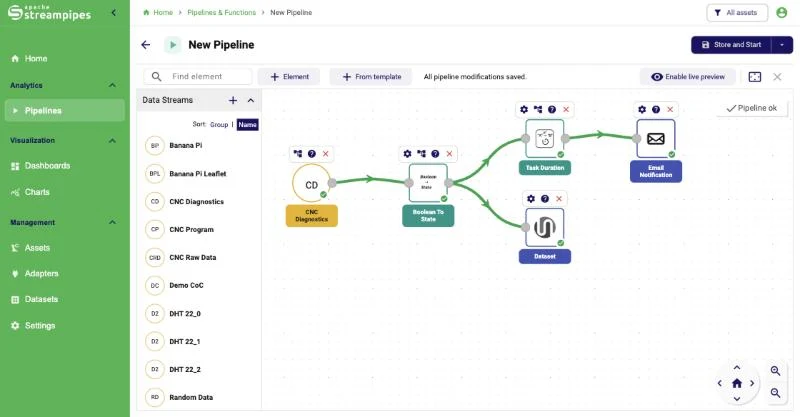
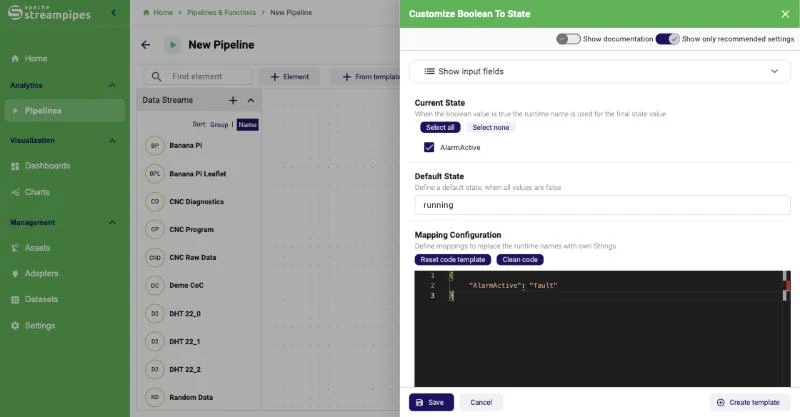
The Boolean To State processor maps the boolean fields to a readable state such as running, blocked or fault, with a default state when none of them is set.
- 3
Measure durations and counts
Task Duration measures how long each state lasted. Boolean Timer and Boolean Counter track a single signal, for example how long and how often the fault bit was set.
- 4
Review per line and shift
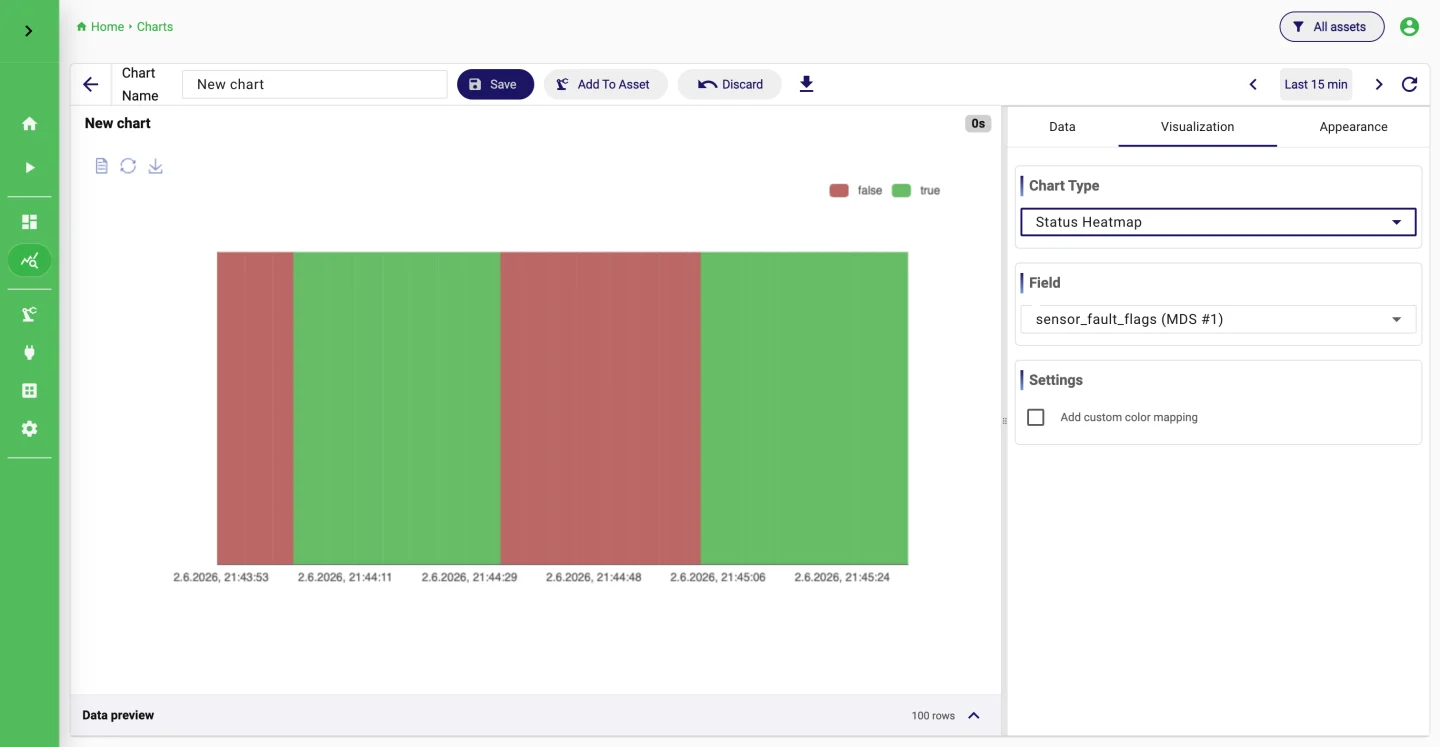
Store the state changes and durations as datasets. A status heatmap shows the day at a glance, a dashboard per line gives supervisors the stop times without a spreadsheet, and a mail goes out when a stop runs long.
What it looks like
Extensions used
All of these come with the standard installation.
- PLC4X S7
- Modbus TCP
- Boolean To State
- Task Duration
- Boolean Timer
- Boolean Counter
- Email Notification
- Dataset
Go deeper
Try it on your machine.
One command starts StreamPipes with Docker. The quickstart takes you from there to a first dashboard.
mkdir -p streampipes-0.98.0 && cd streampipes-0.98.0 \
  && curl -fsSLO https://raw.githubusercontent.com/apache/streampipes/0.98.0/installer/compose/docker-compose.yml \
  && curl -fsSLO https://raw.githubusercontent.com/apache/streampipes/0.98.0/installer/compose/.env \
  && docker compose up -d