Condition monitoring with OPC UA
Connect machines over OPC UA, keep an eye on the values that matter, and get a message when a trend or a threshold needs attention.
The situation
Most newer machines expose their state over OPC UA, but the values tend to stay in the controller or in the vendor's own tool. Operators want one view across machines. Engineers want to hear about a drift before it turns into a stop.
You can script all of this, but then you maintain connection code, buffering, storage and a dashboard for every machine. StreamPipes has those parts built in, and the data stays on your own infrastructure.
How it works in StreamPipes
- 1
Connect the machine
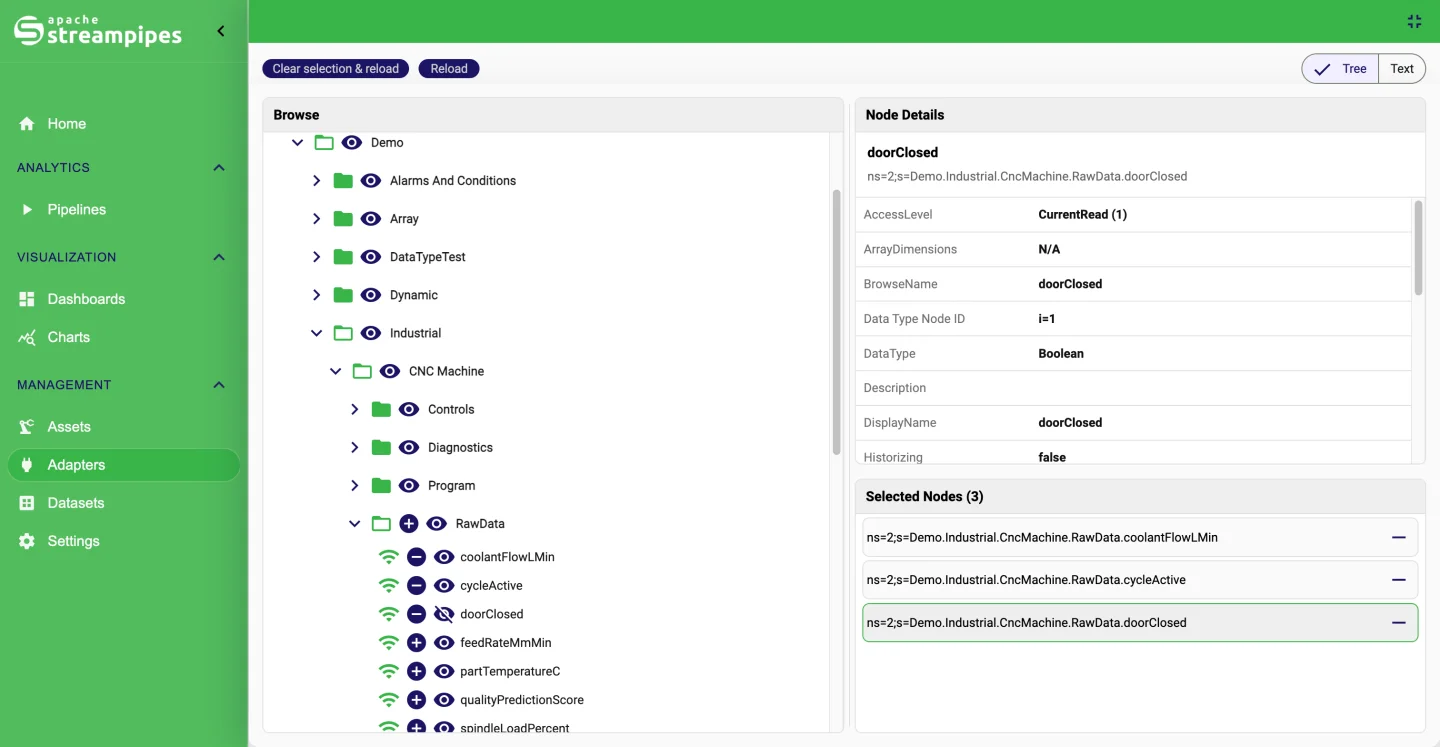
Create an OPC UA adapter, browse the server's node tree, pick the variables and choose pull or subscription mode. Signed and encrypted connections are supported.
- 2
Persist the stream
Add a Dataset sink or enable persistence on the adapter, so every value is stored with retention rules and available for charts later.
- 3
Detect what matters
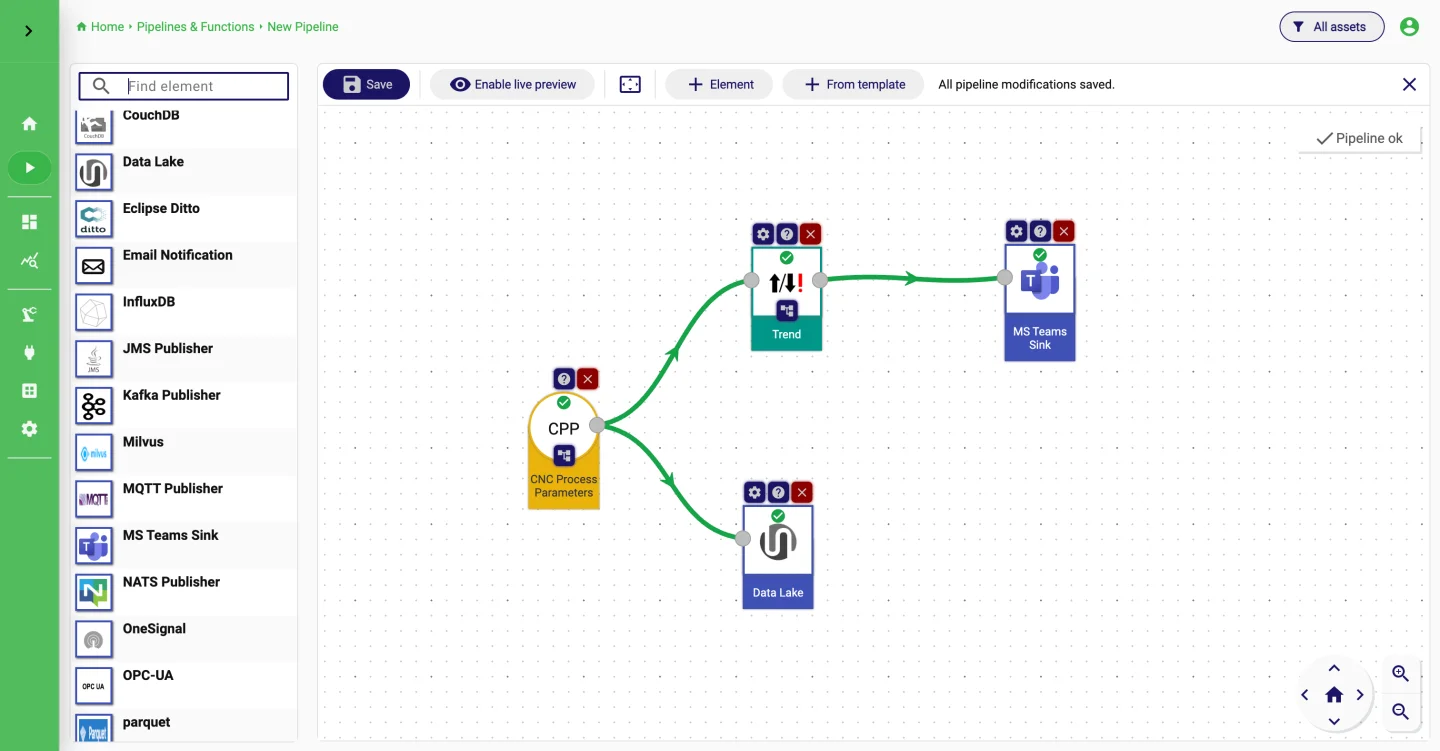
Build a pipeline with the Trend processor or a Threshold Detector on the fields you care about, and route matches to a Microsoft Teams, Slack or email sink.
- 4
Monitor
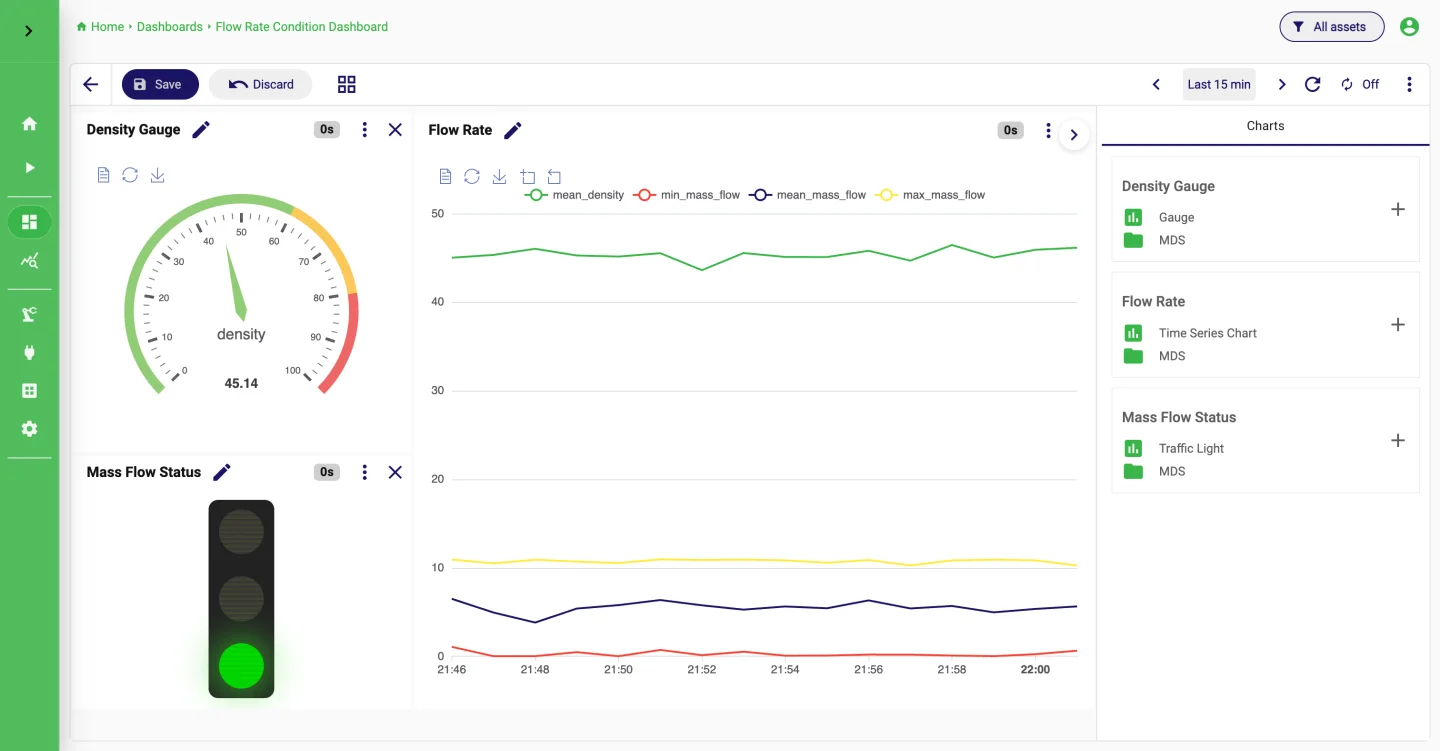
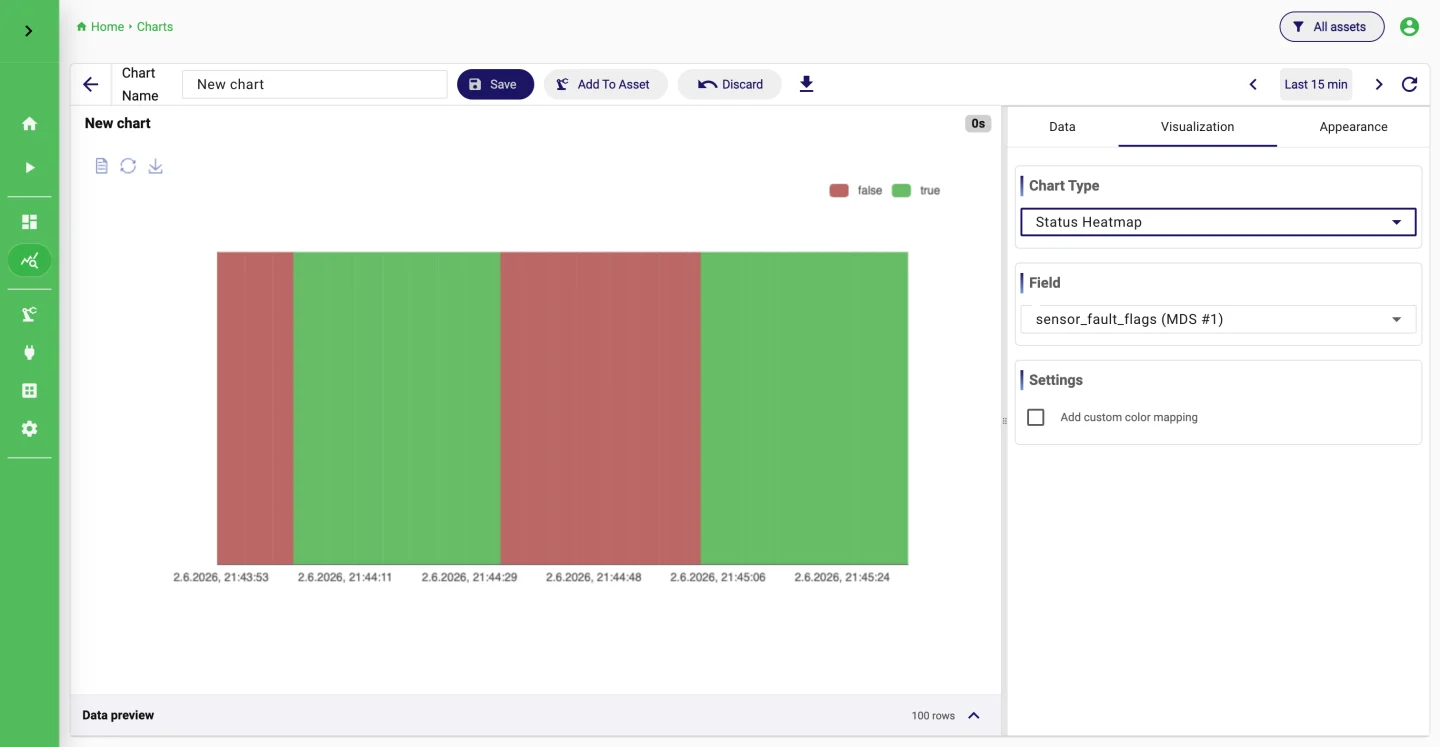
Create charts on the dataset, combine them into a dashboard, and link the dashboard to the machine asset so operators find it from the asset view.
What it looks like
Go deeper
Try it on your machine.
One command starts StreamPipes with Docker. The quickstart takes you from there to a first dashboard.
mkdir -p streampipes-0.98.0 && cd streampipes-0.98.0 \
  && curl -fsSLO https://raw.githubusercontent.com/apache/streampipes/0.98.0/installer/compose/docker-compose.yml \
  && curl -fsSLO https://raw.githubusercontent.com/apache/streampipes/0.98.0/installer/compose/.env \
  && docker compose up -d