Reduce data before it leaves the plant
Clean up raw payloads with a script at the adapter, keep only the changes that matter, compress the rest, and send a fraction of the original volume to the cloud.
The situation
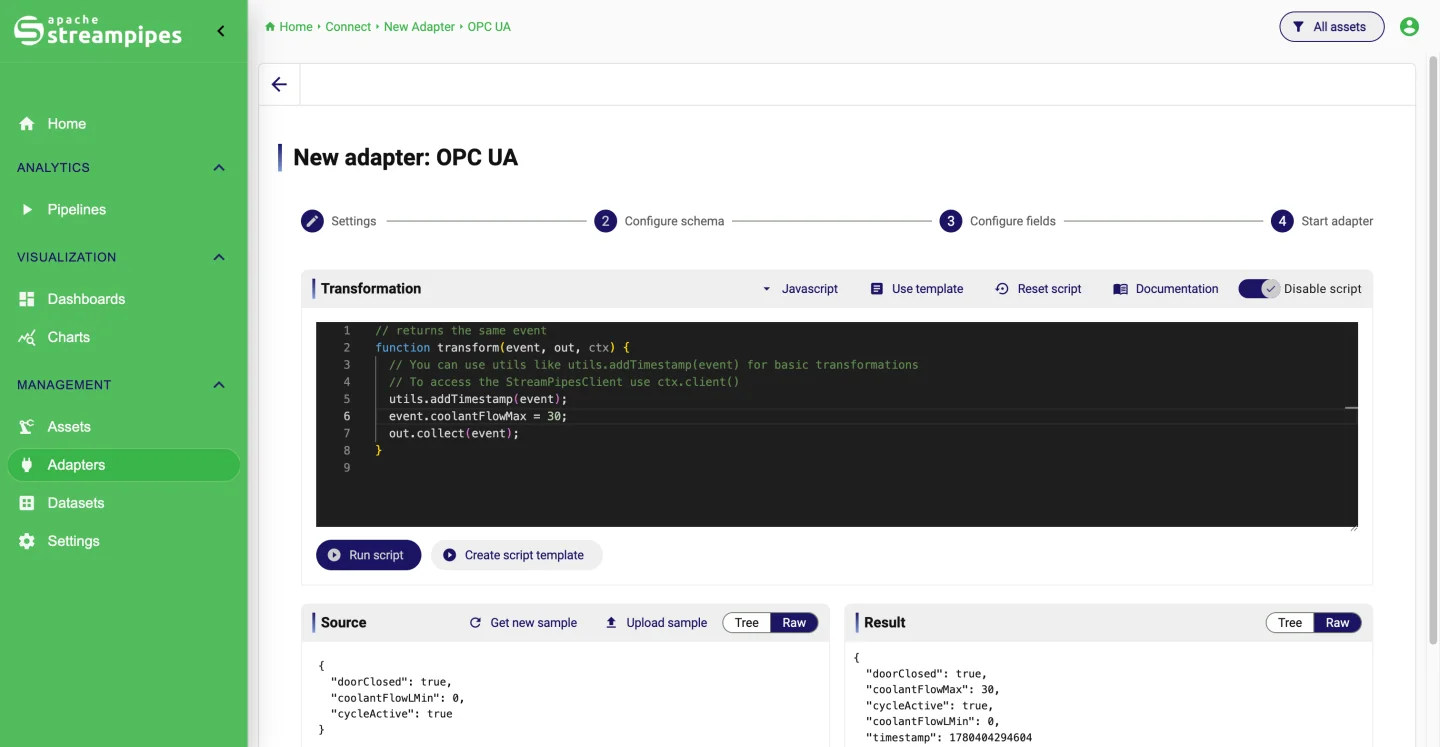
A sensor that reports every 100 milliseconds produces almost a million values a day, most of them identical to the previous one. Sending all of that to a cloud platform costs bandwidth and money, and the raw payload usually needs cleaning up anyway: odd timestamp formats, nested fields, values in the wrong unit.
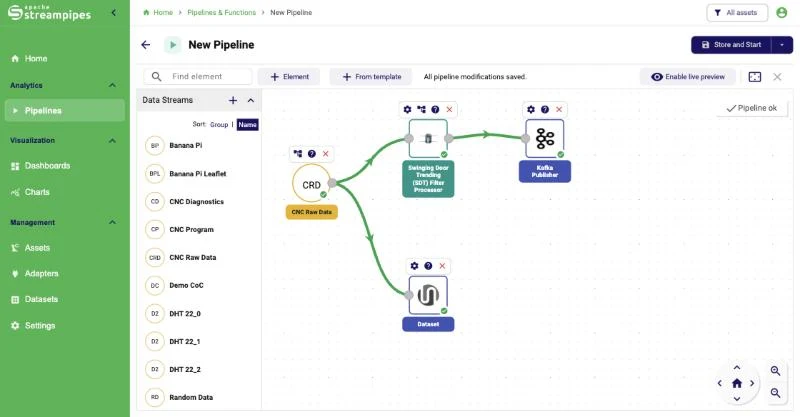
StreamPipes runs where the data is. The adapter reshapes the payload before it enters the platform, a pipeline reduces the stream, and only the result crosses the firewall. The full-resolution data can still stay on site as a dataset with a retention policy.
How it works in StreamPipes
- 1
Reshape the raw payload
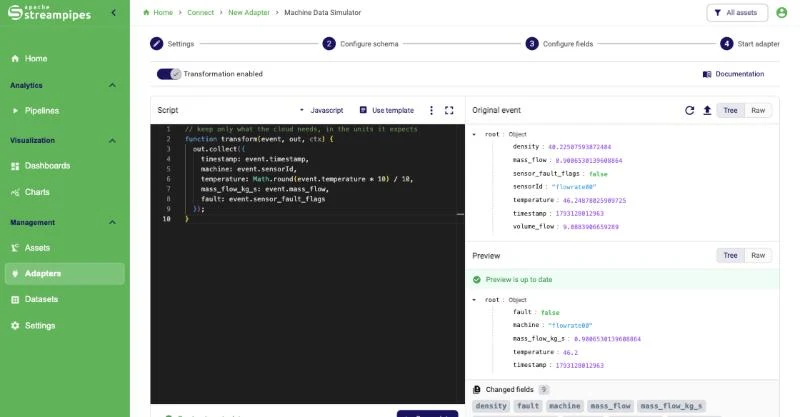
In the adapter wizard, open the script editor and write a few lines of JavaScript or Groovy against a sample event: parse the timestamp, flatten nested objects, drop fields nobody needs, compute a value. Run it, compare input and output, and save it as a transformation template for the next adapter.
- 2
Keep only the changes
The Value Changed processor forwards an event only when a field actually changed, and Rate Limit caps how many events pass per interval. For many status and setpoint signals, this alone removes most of the traffic.
- 3
Compress the trends
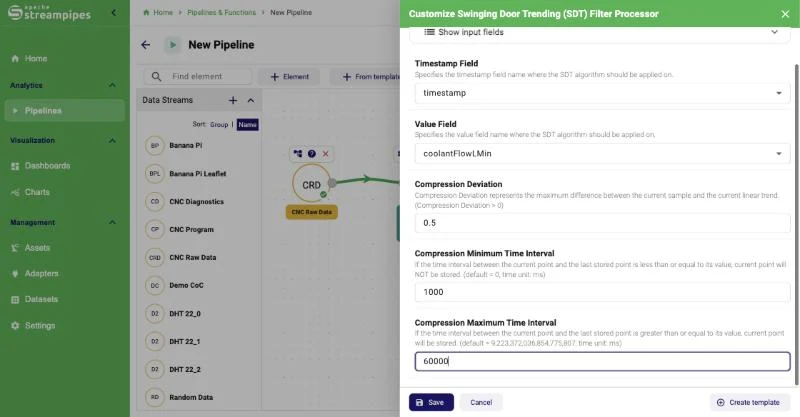
For analog values, the Swinging Door Trending filter keeps the points that define the curve within a compression deviation you set, and drops the rest.
- 4
Ship in batches
Send the reduced stream with a Kafka or Pulsar publisher, or collect events into batches with the Buffered REST Publisher. Keep a local copy as a dataset or write Parquet files for later analysis.
What it looks like
Extensions used
All of these come with the standard installation.
- MQTT
- Value Changed
- Rate Limit
- Swinging Door Trending Filter
- JavaScript Eval
- Buffered REST Publisher
- Kafka Publisher
- parquet
- Dataset
Go deeper
Try it on your machine.
One command starts StreamPipes with Docker. The quickstart takes you from there to a first dashboard.
mkdir -p streampipes-0.98.0 && cd streampipes-0.98.0 \
  && curl -fsSLO https://raw.githubusercontent.com/apache/streampipes/0.98.0/installer/compose/docker-compose.yml \
  && curl -fsSLO https://raw.githubusercontent.com/apache/streampipes/0.98.0/installer/compose/.env \
  && docker compose up -d