Terms
To use StreamPipes effectively, it helps to think of it as an industrial data platform with a few core building blocks. Some of these building blocks bring data into the platform, some process or store it, and others add context so that machine data becomes useful across teams and use cases.
This page introduces the most important terms you will encounter throughout the documentation and in the StreamPipes user interface.
Overview of terms
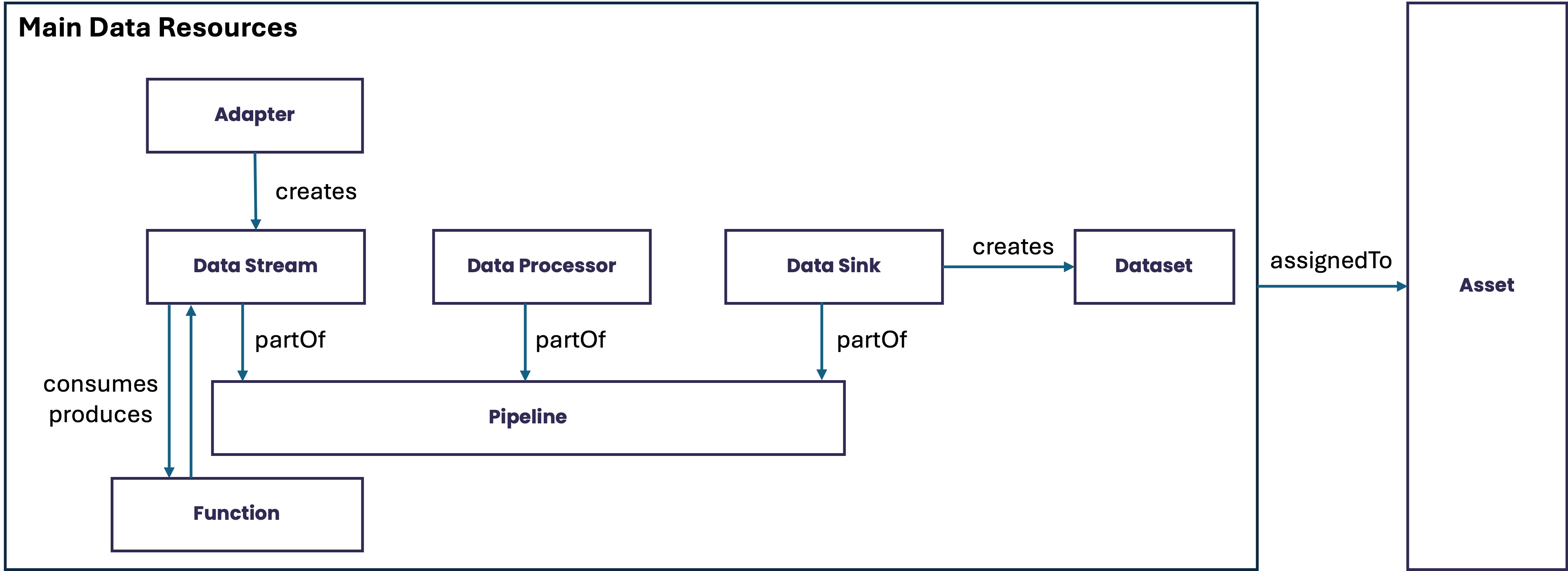
How the concepts fit together
At a high level, StreamPipes turns industrial source data into usable, governed, and reusable data products:
- Adapters connect external systems and ingest raw machine or process data.
- Data Streams provide the structured live event model inside the platform.
- Data Processors transform, enrich, or analyze live streams.
- Data Sinks deliver results to storage, dashboards, notifications, or external systems.
- Pipelines combine these runtime building blocks into executable flows.
- Functions are programmatically defined and consume input data streams and produce results as data streams.
- Datasets capture reusable data collections for analysis, export, or downstream consumption.
- Assets add operational context such as machines, lines, or sites and organize the other resources.
Together, these concepts position StreamPipes as more than an ingestion or rule engine. They define the platform model that StreamPipes uses to manage industrial data from source connection to downstream reuse.
Extensions
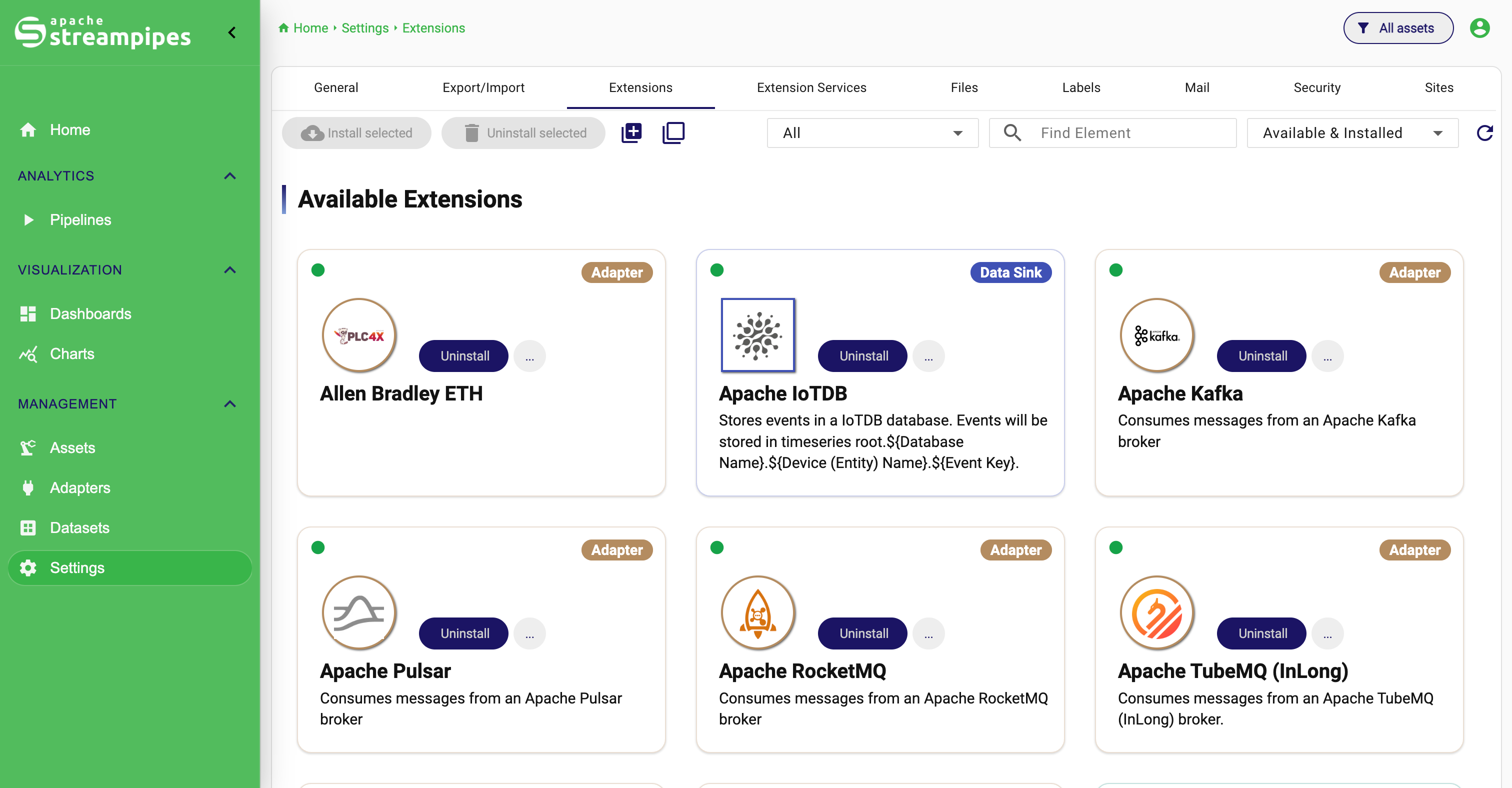
Several core capabilities in StreamPipes are provided through extensions. Extensions make the platform adaptable to different protocols, data models, analytics tasks, and target systems.
The most visible extension types are:
- Adapters, which connect external sources
- Data Processors, which apply logic to live streams
- Data Sinks, which persist, forward, or visualize results
- Functions, which are programmatically-defined processing logic.
This extension model is important because industrial environments are heterogeneous. No platform can predict every machine, protocol, or processing requirement in advance. StreamPipes therefore combines built-in functionality with a clear path for adding company-specific integrations and logic.
Extensions Catalog
Adapter
An adapter connects StreamPipes to an external data source and translates incoming data into the StreamPipes event model. Typical sources include PLCs, OPC UA servers, MQTT brokers, Modbus devices, REST endpoints, and proprietary machine interfaces.
Adapters are usually the starting point of a data flow. They are responsible for bringing raw events into the platform in a structured and reusable way. Depending on the source and configuration, an adapter can also help normalize values, define schemas, and prepare the data for downstream processing.
Adapters can be created in different ways:
- by using built-in adapters from the platform catalog
- by configuring sources interactively in StreamPipes Connect
- by implementing custom adapters with the SDK
In a platform context, adapters are what turn isolated machine interfaces into shareable data resources.
Data Stream
A data stream is the central runtime concept for live data in StreamPipes. It represents an ordered sequence of events that share a defined structure.
Each event typically contains:
- one or more measured or derived values
- timestamps
- identifiers or dimension fields
- semantic metadata that helps describe the meaning of the data
The schema of a data stream is managed inside StreamPipes and is used to validate compatibility between pipeline elements. This means StreamPipes does not only move bytes from one place to another, it keeps track of how data is structured and how it can be reused.
Data streams are typically created by adapters, but they can also be generated by other platform components such as functions or processing results.
Data Processor
A data processor consumes one or more input data streams and produces a new output stream. Processors are used to apply logic to live machine data while it is flowing through the platform.
Typical processor tasks include:
- filtering events based on rules or thresholds
- converting or normalizing values
- enriching events with derived fields
- correlating multiple streams
- detecting patterns or anomalies
- applying custom analytics or machine learning logic
Processors define input requirements so that they can only be connected to compatible streams. This helps users build correct pipelines and promotes reuse across different industrial data sources.
Some processors are stateless and act on each event independently. Others maintain state over time, which is useful for aggregations, timers, counters, and temporal analytics.
Data Sink
A data sink consumes a data stream without producing another stream as output. Its role is to deliver the processed data to a destination or trigger an action.
Common examples include sinks that:
- store data in internal or external databases
- forward data to brokers or APIs
- trigger notifications or alerts
- feed dashboards or live visual components
In platform terms, sinks connect StreamPipes to the systems where data is ultimately used. They close the loop between live processing and operational action.
Pipeline
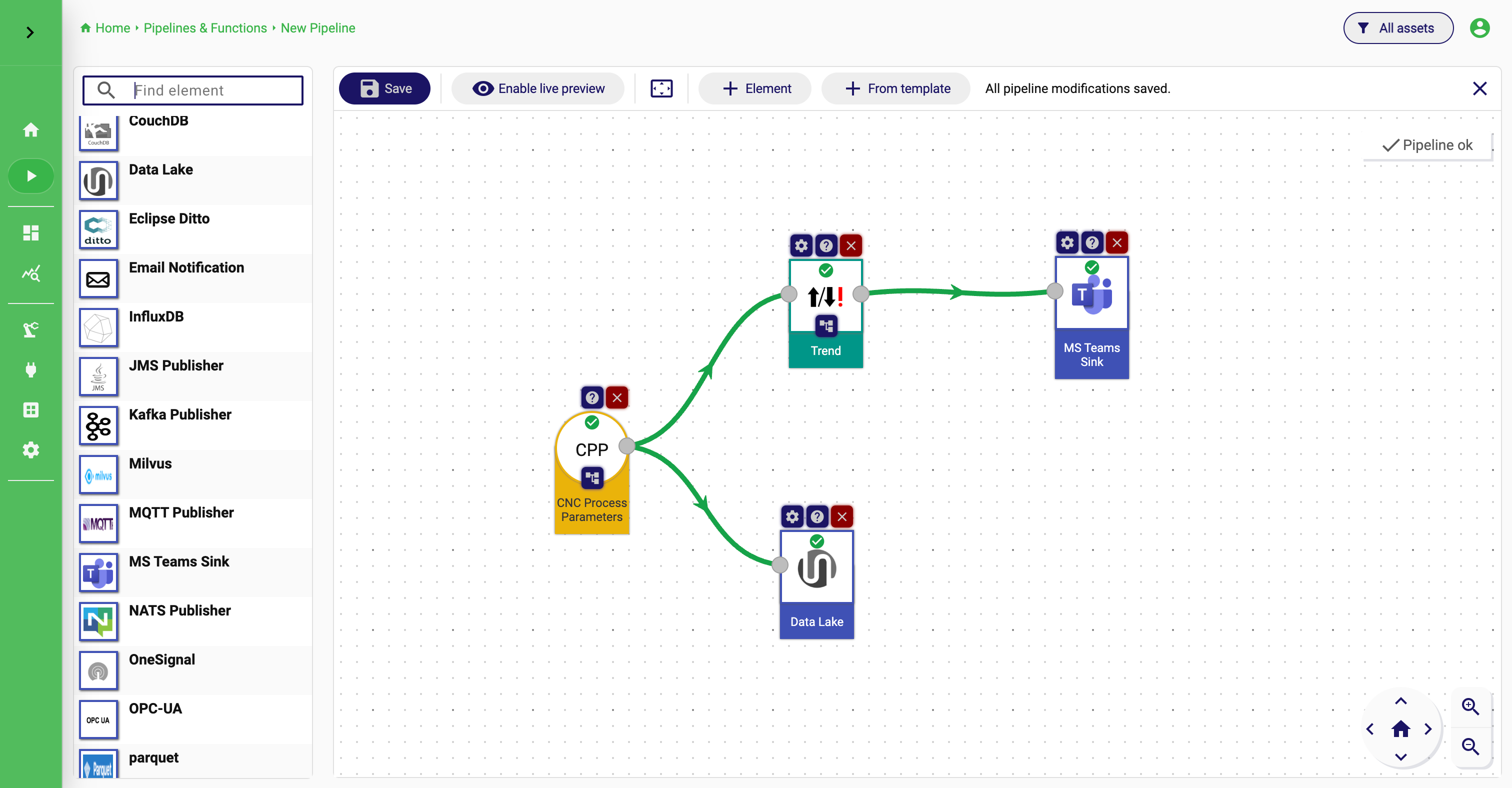
A pipeline is an executable flow that combines streams, processors, and sinks into a runtime graph. It describes how data moves through StreamPipes from ingestion to transformation to delivery.
A pipeline typically contains:
- at least one input data stream
- zero or more data processors
- one or more data sinks
Pipelines are usually created visually in the Pipeline Editor, where users can connect compatible elements, configure them, and start or stop the resulting flow.
Pipelines are important because they turn reusable building blocks into concrete industrial applications such as monitoring flows, quality checks, event routing, or real-time enrichment.
Pipeline Editor
Asset
An asset represents a real-world industrial object or organizational entity that gives data business context. Examples include machines, lines, workstations, plants, buildings, or logical equipment groups.
Assets matter because industrial data is rarely useful in isolation. Users usually want to answer questions such as:
- Which machine produced this data?
- Which production line does this stream belong to?
- Which assets share the same type or location?
- Which dashboards, pipelines, or datasets relate to a specific site?
By modeling assets, StreamPipes can organize machine data around the actual structure of an industrial environment instead of treating every stream as an isolated technical artifact.
Dataset
A dataset is a reusable collection of data that can be consumed beyond the original live processing flow. While data streams represent events in motion, datasets represent data prepared for analysis, sharing, retention, export, or downstream reuse.
Depending on the use case, a dataset can help teams:
- preserve relevant historical data
- expose curated data for analytics workflows
- share stable data collections across teams or tools
- separate long-term data usage from the original live stream
This distinction is important because not all industrial use cases are purely real-time. Many require a combination of live processing and persistent, reusable data collections that can be explored later or exported into other systems.