
Apache StreamPipes 0.98.0 is a major step forward in the evolution of the platform, delivering powerful dashboard enhancements, extended OPC UA capabilities, improved security and authentication, and a large set of UX and architectural refinements.
This release focuses on consolidating visualization and dashboard functionality, improving operational transparency, and modernizing the underlying architecture. Highlights include dashboard cloning and kiosk mode, new aggregation functions, enhanced OPC UA authentication and certificate handling, file logging support, and a modernized UI.
In total, this release closes around 100 issues across enhancements, bug fixes, and maintenance tasks.
Read on to discover what’s new in StreamPipes 0.98.0!
Industrial Connectivity & OPC-UA
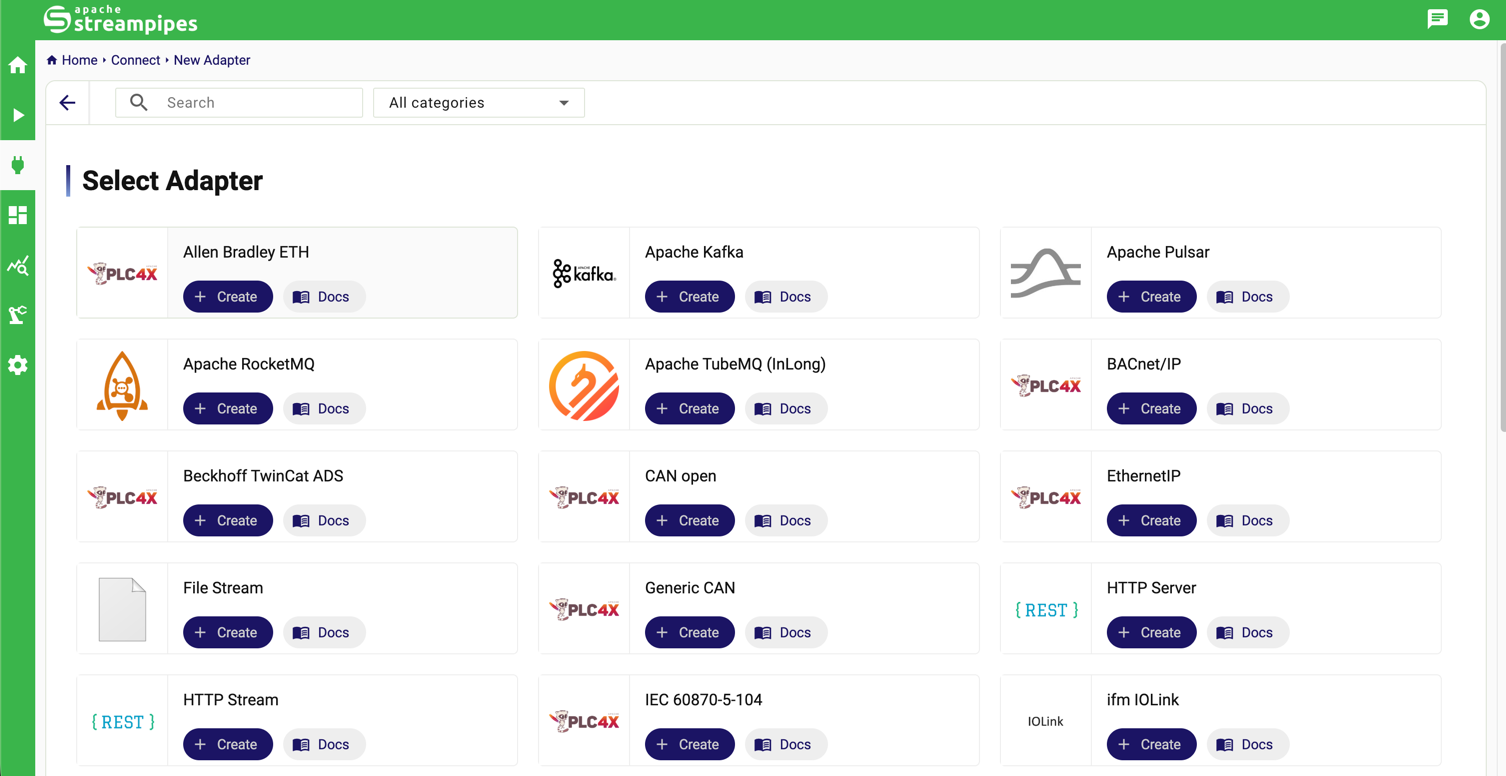
Redesign of the adapter creation page
StreamPipes Connect is the central interface to connect a wide variety of industrial protocols with Apache StreamPipes. In this release, a new overview page simplifies selection of appropriate adapters, taking less space and allowing users to get a better overview over available connectors.
OPC UA X.509 Authentication & Certificate Management
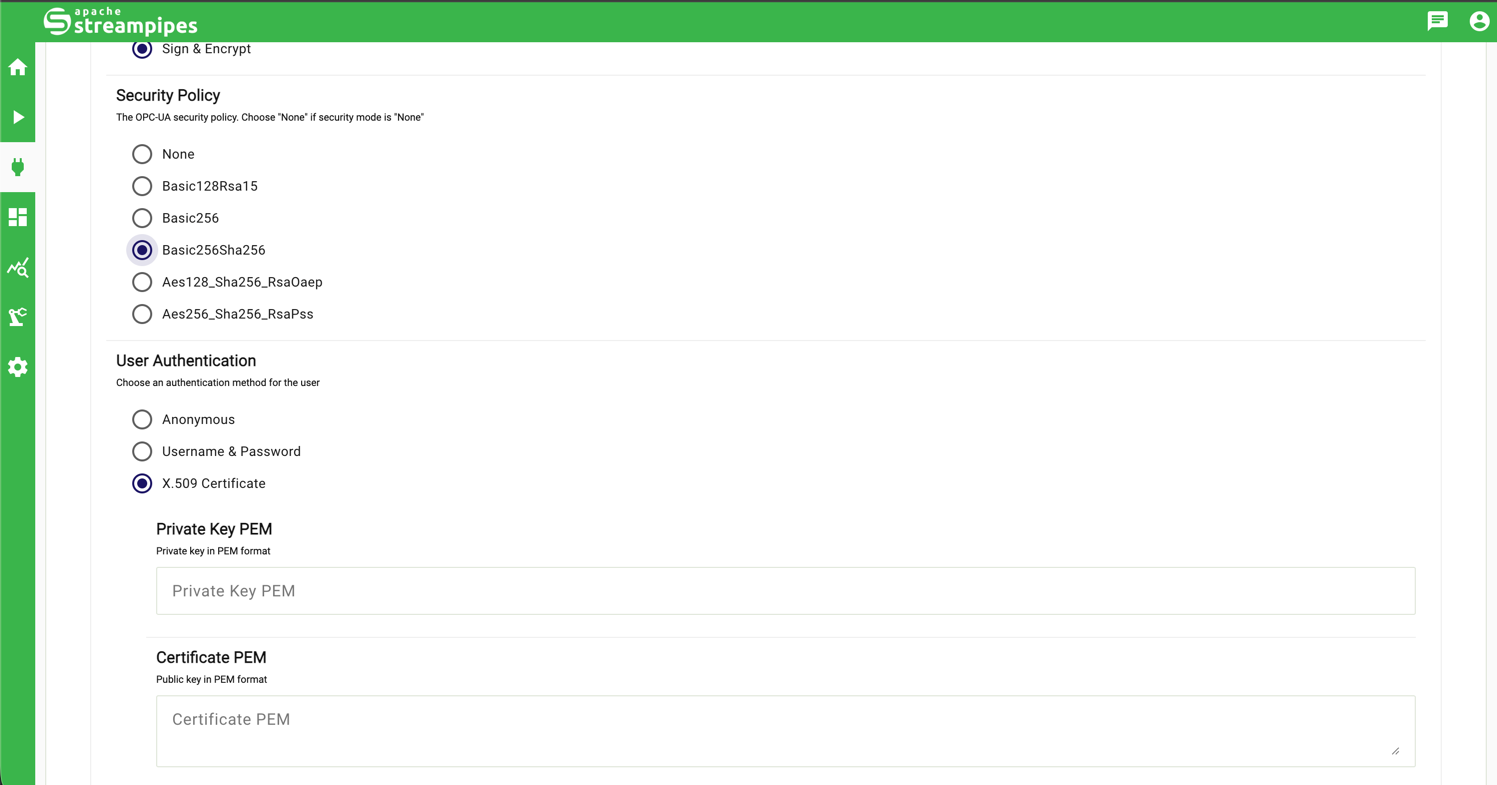
Support for OPC-UA security is greatly enhanced in 0.98.0. We added a new authentication option that supports X.509 user authentication. Users can now directly upload their X.509 certificates which are securely stored within StreamPipes.
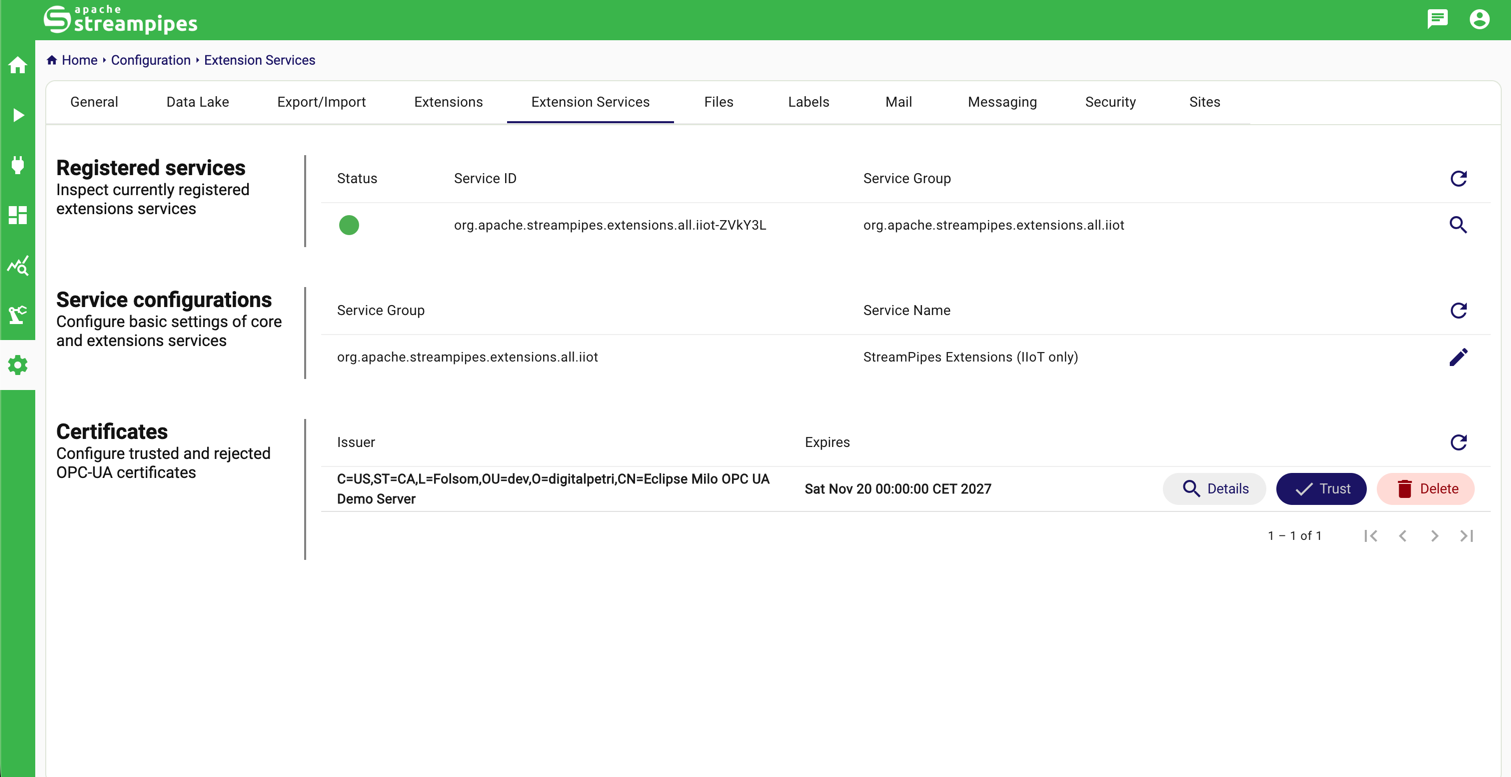
For encrypted communication, we also added enterprise features to handle OPC-UA certificates. Until now, certificates had to be managed through environment variables. In the new release, server certificates can be centrally managed from the user interface, simplifying secure deployments. In case a non-trusted certificate is provided by the OPC-UA server, the certificate is stored in the StreamPipes core for manual approval. In the settings menu, admins can explicitly trust or reject a given certificate. The UI view also contains extended certificate information, making it easy to get an overview of all OPC-UA certificates that are currently used.
Version 0.98.0 also supports more OPC-UA data types such as better support of ExtensionObjects, allowing more complex OPC-UA data structures to be processed.
These improvements strengthen StreamPipes as a secure and enterprise-ready IIoT integration platform.
Other improvements
Minor improvements for other adapters include:
- Configurable wait and lease times for PLC connectors.
- Improved adapter state handling and recovery options.
- Better schema guessing and duplicate field handling in OPC-UA adapters.
Dashboards & Data Explorer
Harmonized Data Explorer & Dashboard Experience
The consolidation of visualization tools is finished in 0.98.0. The Chart and Dashboard views have been further harmonized, ensuring consistent configuration and behavior. The deprecated dashboard has been removed and the new dashboard tool is fully in place. Users can now add any chart directly to the live dashboard.
This work lays the foundation for faster innovation and a more consistent visualization experience going forward.
Dashboard Cloning & Kiosk Mode
Dashboards have received further several long-awaited improvements:
- Dashboard cloning allows users to quickly duplicate existing dashboards and reuse configurations.
- Kiosk mode enables distraction-free, full-screen dashboards—ideal for shop floor displays and control rooms.
- Improved configuration panel now clearly indicate missing or incomplete dashboard and chart configurations.
These enhancements significantly simplify dashboard reuse and deployment in operational environments.
New Visualizations & Chart Improvements
Several new visualization and charting capabilities were added: The status heatmap visualization was enhanced with a dedicated color-mapping component, in the chart appearance settings, additional chart-specific configurations were added, including improved heatmap configuration with customizable min/max values. To improve usability, icons and descriptions were added to the chart type dropdown, making chart selection more intuitive.
New Aggregation Functions
The chart view now supports additional aggregation functions:
- MEDIAN
- SPREAD
- STDDEV
These functions enable more advanced statistical analysis directly within pipelines and the Chart view.
Excel export
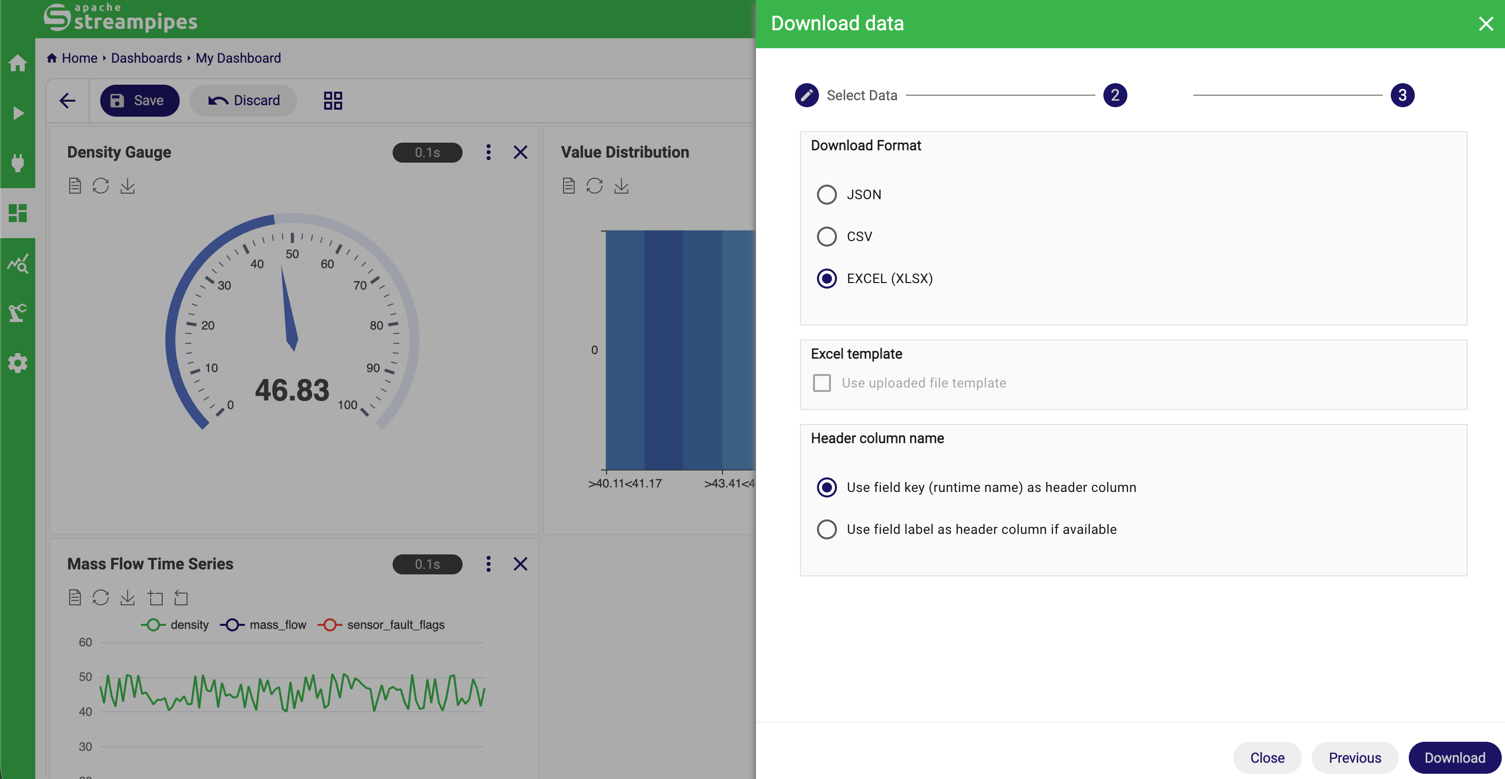
Besides CSV and JSON, datasets can now be directly exported to a Microsoft Excel format (xlsx). In addition, Excel templates can be uploaded that can be used to add any company-specific header data to an Excel export.
Security & Authentication
Since we aim for enterprise-grade security, we added additional advanced configuration options to integrate Apache StreamPipes with 3rd-party authentication providers.
OAuth & External Authentication Improvements
Security and identity management received several upgrades.
External role assignment is now supported in the OAuth configurations. Besides default roles, users can now be assigned their roles directly from an external authentication service. To further increase flexibility, StreamPipes-internal roles and groups can be assigned an alternate ID, which can be used to map external role names to StreamPipes roles and groups.
OAuth and OpenID configurations are now loaded at startup time, so that invalid settings are detected earlier upon startup.
User Management Enhancements
User transparency was improved with:
- Tracking and displaying user creation date and last login date in the user configuration.
- Optional terms acknowledgment, allowing organizations to enforce acceptance of usage terms.
UX & UI Improvements
Modernized UI with Material 3
The StreamPipes UI has been upgraded to Material Design 3, delivering a cleaner, more modern look and feel. Additional UI improvements include:
- Broader use of design tokens so that theming becomes easier for external developers.
- Panel resize components for flexible layouts.
- Improved breadcrumb navigation in dashboards.
StreamPipes becomes multilingual
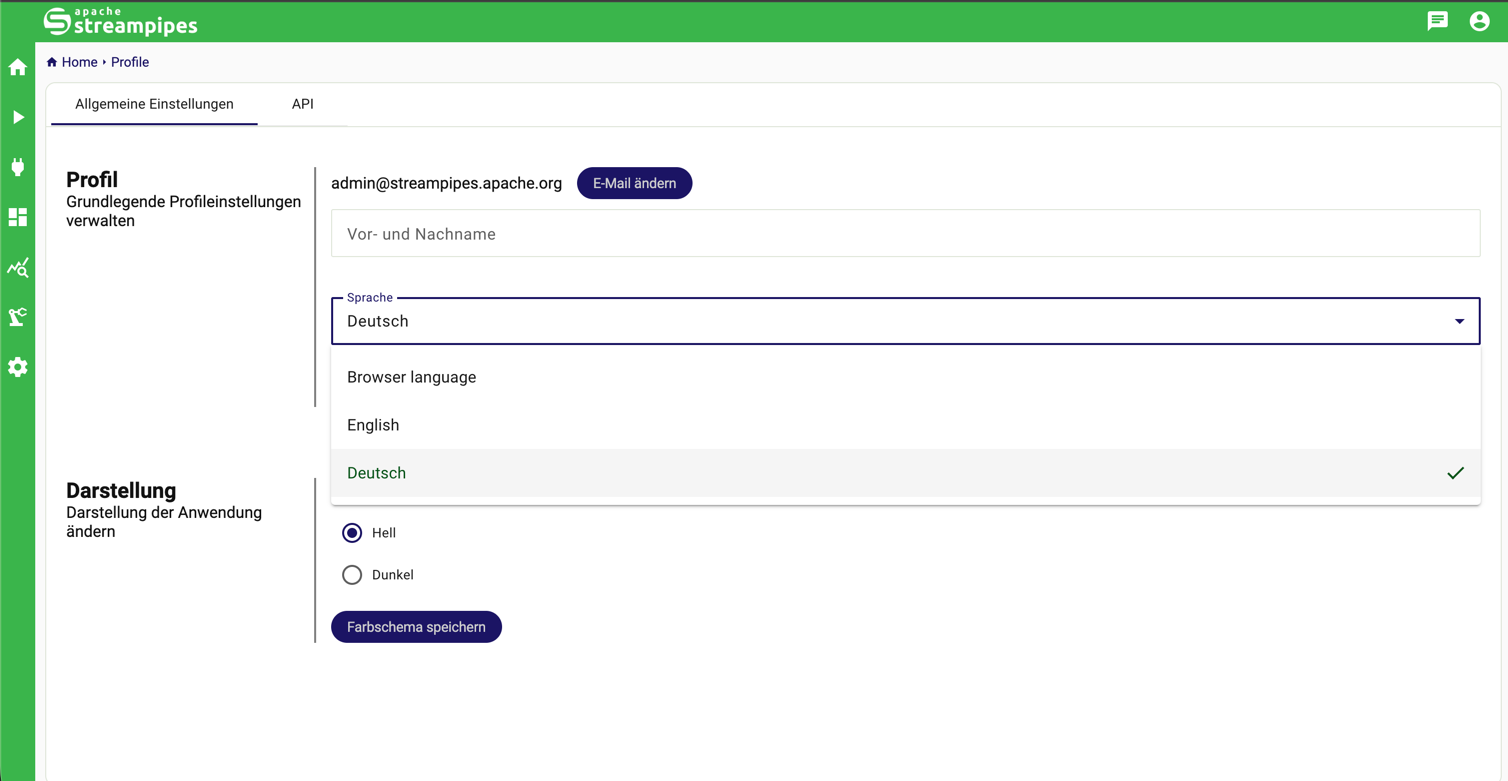
Release 0.98.0 starts to add internationalization features to Apache StreamPipes. While this will be a greater effort spanning multiple releases, this new release lays the groundwork for a completely localized Apache StreamPipes experience.
As a first feature, we've localized most parts of the UI to the german language. More languages will follow in the future - if you are willing to help us translate StreamPipes to more languages, let us know!
Actions menu
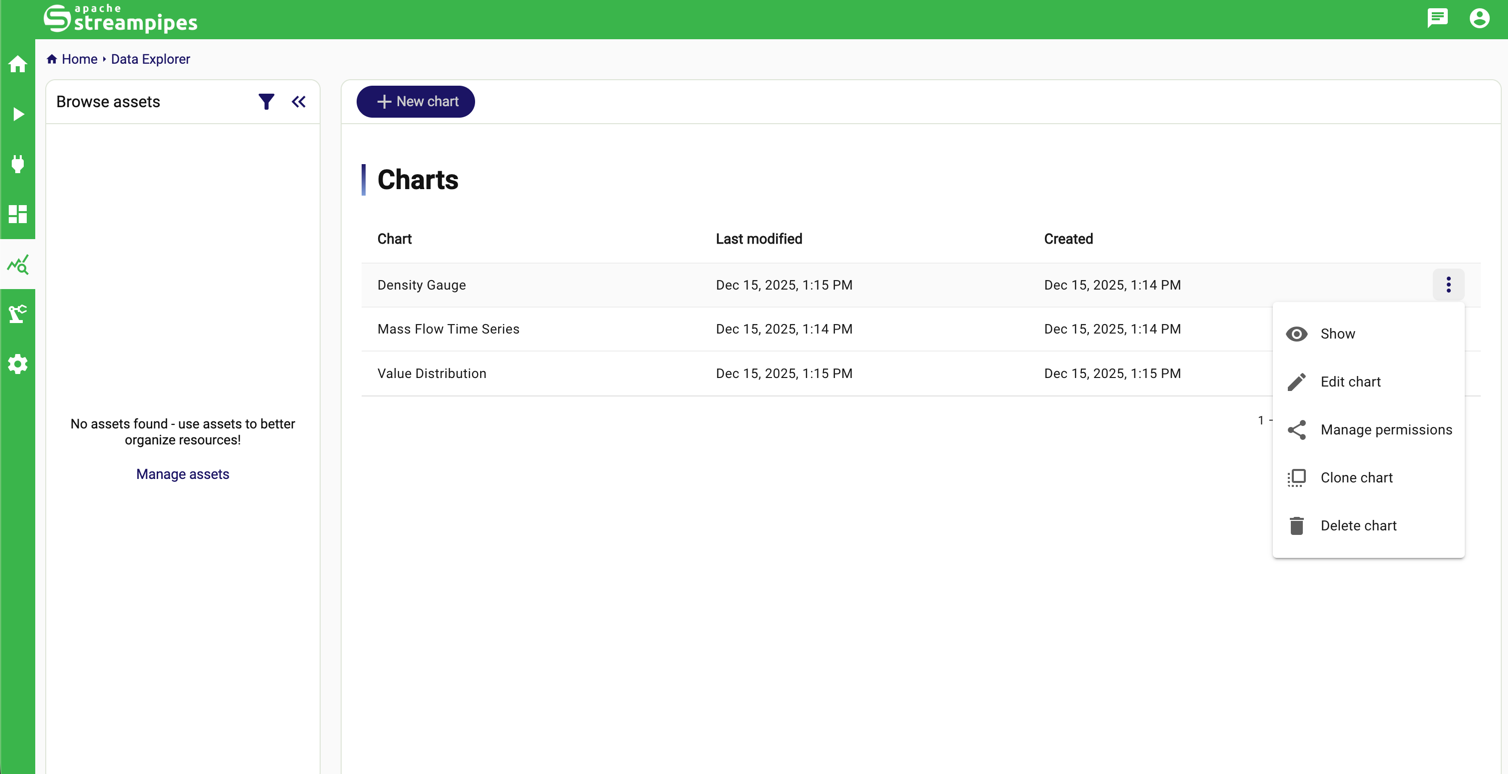
To ensure a consistent design and a clean, streamlined look and feel, all data tables across StreamPipes now use a unified actions menu. Instead of displaying multiple action buttons inline, available actions are grouped under a three-dot menu. Simply hover over the icon to reveal the actions for a given resource, making tables easier to scan while keeping all functionality readily accessible.
Developer experience
Migration to the New Data Processor API
The migration to the new Data Processor API continues, improving consistency and performance across pipeline elements. As part of this effort:
- The legacy
StreamPipesDataProcessorandStreamPipesDataSinkAPIs are now deprecated. - The Flink-based wrapper has also been deprecated and will be removed in a future release.
Developers are encouraged to migrate to the new APIs to ensure long-term compatibility.
Custom theming
With the upgrade of the design system, we changed the way how the StreamPipes UI can be customized with company-specific
color settings.
Settings that can be used for custom theming have been isolated in two files (_custom-variables.scss and _theme-colors.scss).
We encourage developers to investigate the modified prebuild script and the two scss files to generate individual
theming files.
Breaking Change
Default Messaging System Switched to NATS 💣
The default docker-compose setup in the installer directory now uses NATS instead of Apache Kafka for internal
messaging.
⚠️ Important:
This change only affects users who are updating from a previous installation.
If your existing StreamPipes instance uses Kafka, continue using the provided docker-compose.kafka.yml file.
Deprecations ⚠️
The following components and features are deprecated and scheduled for removal in future versions:
- Deprecated domain property APIs (use semantic type API)
- Nested rule creation functionality
- Legacy configurable data format APIs
- Flink wrapper
- IO-Link IFM adapter
- NetIO adapter
Users are encouraged to migrate early to avoid disruption in upcoming releases.
Other improvements
As usual, StreamPipes 0.98.0 includes a variety of minor improvements, bug fixes and dependency updates. Users are encouraged to update as soon as possible.
Conclusion
Apache StreamPipes 0.98.0 delivers major improvements in dashboarding, OPC UA integration, security, and user experience, while continuing the architectural cleanup and modernization started in previous releases.
We would like to thank all contributors and community members who made this release possible.
As always, we welcome your feedback—join the discussion on GitHub
or the mailing list, and help shape the future of StreamPipes!